


TikTok videos are everywhere — on Instagram Reels, YouTube Shorts, websites, and marketing campaigns. But when you download a video directly from TikTok, it comes with a moving watermark that shows the TikTok logo and the creator’s username.
If you want to repurpose TikTok videos for other platforms, presentations, or business use, that watermark can be distracting or even reduce reach. In this guide, you’ll learn how to remove a TikTok watermark using safe, effective, and up-to-date methods
What is a TikTok Watermark?
The TikTok Watermark is the TikTok logo that appears in videos downloaded from the platform. It stays on the side of the video images along with the username of the person who created the video.
That's important, for example, if someone wants to repost your content, because when they save your video, it will come with the credits to you. However, when you want to repost your own content on other platforms, it isn't necessary to give yourself the credit.
Just so you know, if you are going to download TikTok videos from other users to republish on Instagram, the TikTok watermark should be kept. This way, you avoid infringing any copyrights and show respect to the person who made the video.
TikTok adds watermarks to:
- Protect creator attribution
- Promote the platform when videos are shared elsewhere
- Discourage unauthorized reuse of content
How to Remove TikTok Watermark
There are several ways when it comes to how to remove the TikTok watermark. You can crop out the video, use specific apps, save the video as a live photo, or edit the images.
Crop Out
One option to remove the watermark is to crop it out of the video. To do that, follow the steps:
1 - Open the TikTok app on your smartphone, and go to the video you wish to download.
2 - Click on the "..." on the side of the image;
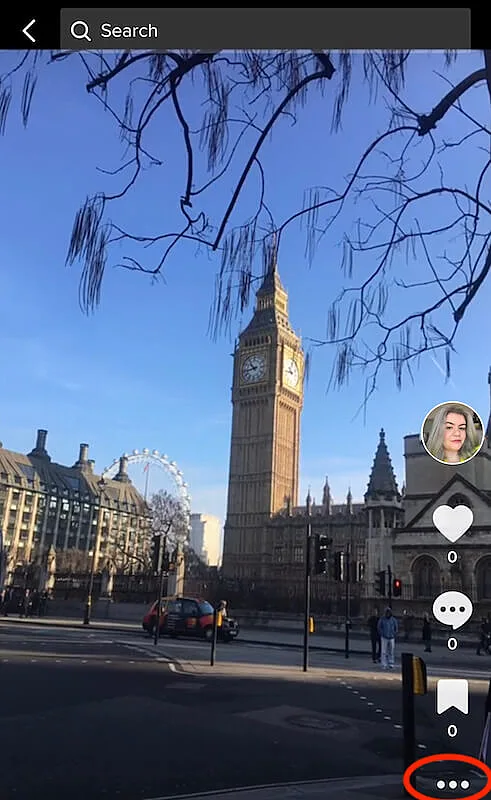 How to remove TikTok watermark - crop out the watermark
3 - Select "Save video";
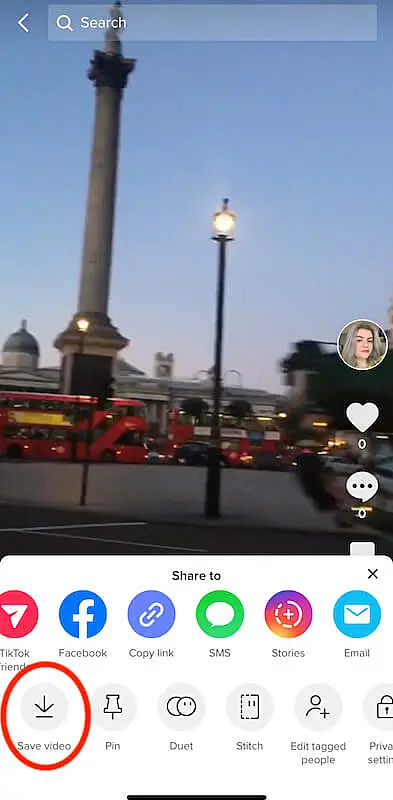 How to remove TikTok watermark - save video
4 - Open the video in your Photo app;
5 - Click on edit;
6 - Click on the crop out icon, and crop the parts where the watermark appears.
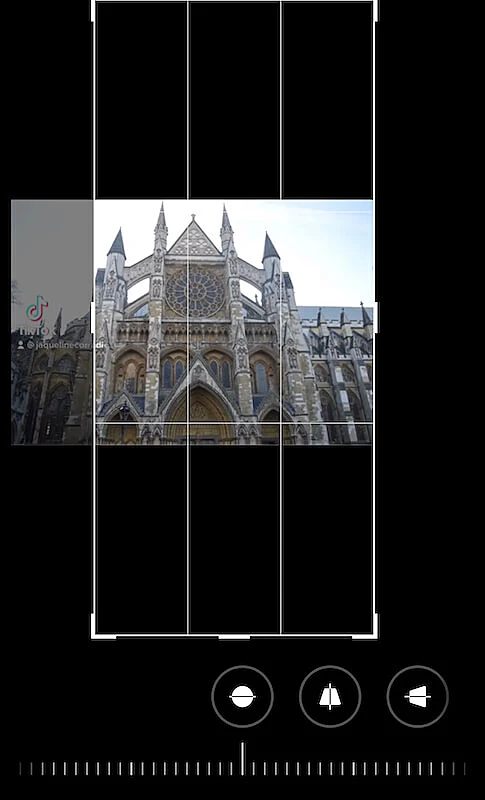 How to remove TikTok watermark - photo editor
In this case, as the TikTok watermark is put in different places during the video, you will need to crop out the images according to it.
Use an App to Remove TikTok Watermark
In order to help people who want to learn how to remove TikTok watermark, there are some companies that created specific apps for this. You will find several of those apps in Google Play Store and Apple Store.
Take a look at them, and choose the watermark remover that you prefer. Some of those apps are also available to be used on desktop computers or notebooks if you like. What you have to do is upload the video in the app, then it will detect and remove the watermark for you. Remember, though, none of those apps are affiliated with TikTok.
Among the watermark remover apps available are:
Use a Video Editing App
If you already have experience with editing videos, you can use your favorite video editor, and apply the necessary changes to remove the TikTok watermark. With the editor, it's possible to not only take out the watermark but make other changes like changing the background, using special effects, and altering the contrast and exposure.
Take a look at those amazing video editors:
Save TikTok as a LivePhoto
There is an option to save your TikTok video without the watermark. To do that, you will have to follow the instructions:
1 - Open the TikTok app;
2 - Go to the video you wish to download;
3 - Click on the "..." icon;
4 - Select "Live Photo";
 How to remove TikTok watermark - live photo
5 - Go to your smartphone gallery, open the photo;
6 - Click on the "...";
7 - Select "Save as video".
Now you have the TikTok video saved in your smartphone without the watermark. But, in those cases, the audio is removed as well. You will have to use another soundtrack.
Best Practices When Removing TikTok Watermarks
- Always respect creator rights
- Maintain original video quality
- Use watermark-free versions only where appropriate
- Credit creators when reposting

